HEIC Codec on Windows 10 — Why It Costs Money (and the Free Fix)
You double-click an iPhone photo on Windows 10 and the Photos app tells you to install a codec — then sends you to the Microsoft Store, where the HEVC Video Extensions you actually need costs about $0.99. It feels wrong to pay to open your own photos, and you don't have to. Here's what's going on and how to skip the codec entirely.
In a hurry? Convert HEIC to JPG in your browser — free, no codec, no admin rights — and the JPG opens on any Windows 10 PC.
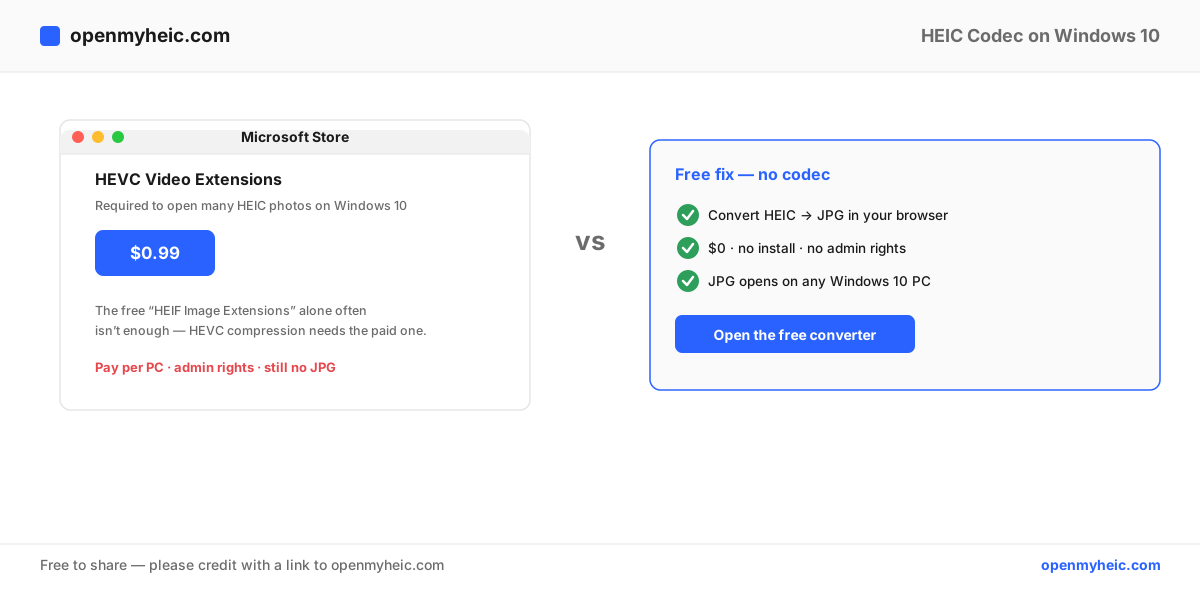
Why Windows 10 charges for the HEIC codec
There are actually two Microsoft Store packages involved, and that's the source of the confusion:
- HEIF Image Extensions — free. Handles the HEIC container.
- HEVC Video Extensions — around $0.99. Handles the HEVC/H.265 compression most iPhone photos use inside that container.
The image data in a typical iPhone HEIC is HEVC-compressed, so the free package alone often isn't enough — you hit the paid one. Microsoft charges because HEVC is patent-licensed; it pays royalties to the patent pool and passes the cost along. (There's a free "HEVC Video Extensions from Device Manufacturer" listing that sometimes appears on certain hardware, but it's inconsistent and often unavailable, which is why most people just see the $0.99 version.)
The free fix: convert to JPG (no codec at all)
Converting sidesteps the codec question completely:
- Open the HEIC to JPG converter.
- Drag your
.heicfiles in. They convert on your PC, in the browser — nothing is uploaded. - Download the JPGs. They open in Photos, Office, browsers, and every Windows app with zero setup.
For lots of photos, the batch converter does the whole set at once. Just need to view one without saving? Use the HEIC viewer.
This is also the better choice if you manage several PCs (you'd otherwise pay per machine), use a work computer without admin rights, or want files that stay openable if you ever move off Windows.
Paid codec vs. free conversion
| HEVC Video Extensions | Convert to JPG | |
|---|---|---|
| Cost | ~$0.99 per PC | Free |
| Admin rights | Usually required | Not needed |
| Opens HEIC in Photos | Yes | N/A (opens JPG instead) |
| Files portable to other PCs | Still HEIC | Yes, JPG opens anywhere |
| Reliable on every image | No (some still fail) | Yes |
If you'd rather install the codec
It's a legitimate choice if you want to keep files as HEIC and view them in place:
- Open the Microsoft Store.
- Install HEIF Image Extensions (free).
- Install HEVC Video Extensions (~$0.99).
- Reopen the photo in the Photos app.
Just know it's per-PC, needs admin rights, and occasionally still fails on certain files. Our how to open HEIC files guide covers the Windows 11 and Mac paths too.
Stop new HEIC files at the source
If these are your own iPhone photos, switch the camera format so future shots are JPG:
Settings → Camera → Formats → Most Compatible.
New photos then open on Windows 10 with no codec and no conversion. Older HEIC files still need converting once. Trade-off: JPG uses more storage than HEIC — see HEIC vs JPEG.
Frequently asked questions
Is there a free HEIC codec for Windows 10?
The free "HEVC from Device Manufacturer" listing works on some hardware but is often unavailable. Converting to JPG is the dependable free route.
Why does the free HEIF extension not open my photos?
Because the image inside uses HEVC compression, which needs the separate paid package. Convert to JPG to avoid it.
Will I lose quality converting HEIC to JPG?
A single high-quality conversion is visually identical. For a lossless copy, use PNG.
The bottom line: Windows 10 charges for the HEVC codec because of HEVC's patent licensing — but you can skip it. Convert HEIC to JPG for free in your browser, with no install and no admin rights, and your photos open on any Windows 10 PC. Setting your iPhone to Most Compatible prevents the problem going forward. More on the format in what a HEIC file is.